Turtle lab
This is a lab activity, not an assignment. Therefore, it's not required that you complete it or hand it in. However, the concepts in this lab will be useful for completing the homework assignments (and will be useful for exams down the road), so I'd encourage you to put in a serious effort on it in class, and to consider finishing any remaining parts outside of class.
Setup
Log into a lab computer, mount COURSES, and navigate to your STUWORK directory. Look back at the lab from the first day of class or get help from Anna or Rachel if you need a reminder on how to complete these steps.
Create a folder in your STUWORK directory called turtleLab. Open VSCode, and drag the turtleLab folder
into the VSCode window.
Then, download the starter code from this url
(click the download icon in the upper right corner). Move the file, which is called
turtleLab.py, into your turtleLab folder.
Check your setup by opening a terminal window in VSCode and running python3 turtleLab.py. If everything
is setup correctly, the code should run and draw a picture.
Read the code
Before continuing, read through the starter code. Make sure you and your partner understand the role of each function before continuing.
Warmup exercise: modify drawTriangle
The drawTriangle function would be more useful if the user were allowed to specify how big they
want the triangle to be.
For this exercise, modify drawTriangle so that it takes an additional parameter called sideLength.
You should also modify the code body to use this new parameter as the side length of the triangle.
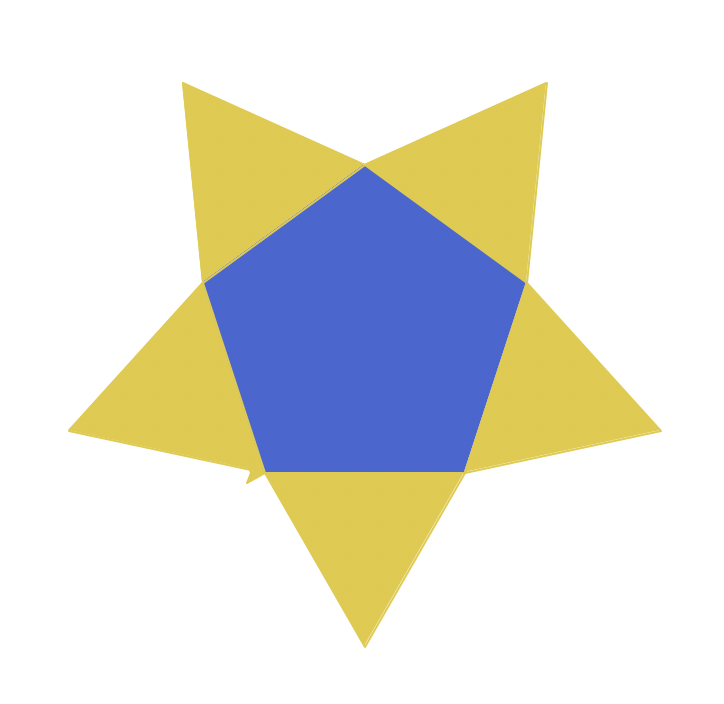
Challenge 1: Drawing a star
Create a star like the one from today's slides (copied below).
Before you begin programming, make a list with your partner of what functions you need, and in what order you want to call them.
Challenge 2: Drawing nested squares
Try drawing an image like the one below:
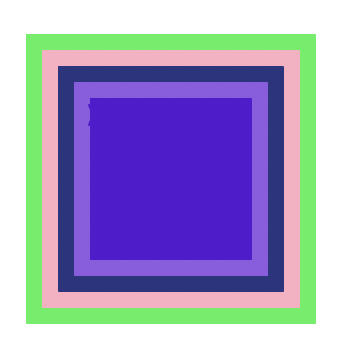
As an extra challenge, write a function that takes in as a parameter how many of the nested squares to draw.
Extra time?
If you have extra time, experiment with turtle!
Anna's acknowledgements
This lab was adapted from one by Layla Oesper. Thanks for sharing!