HW 8 (Images Part 2)
Assignment overview
As in the Image Lab in class and in HW7, you'll practice image modification.
Goals
Practice using nested for loops and using a library with objects (Images and Pixels).
Logistics
This is a partner assignment, which means you should complete all pieces of this assignment with your assigned partner. In particular, any coding must be completed side-by-side in a pair programming style. You are welcome to discuss the assignment with other classmates, course staff or Anna. Make sure to cite any help you receive in the "acknowlegdements" portion of the assignment.
Unless we've discussed another arrangement, you'll work with the same partner as for HW5 (or individually if you worked individually for HW5).
This assignment is due at 10PM on Wednesday, May 13.
Setup
Mount the COURSES drive and create a folder called hw8 in your STUWORK folder.
Open the new folder in VSCode.
If you need a refresher on how to complete these steps, refer back to the in-class
lab from the first day of class.
Download the starter code
and move the files (images2.py, cImage.py, and the test images) into your hw8 folder.
If you are working on your own computer, you may need to install the Python package pillow. To do
so, run the following command from the terminal:
pip3 install pillow
If that doesn't work, you can try pip install pillow instead. If that still doesn't work, reach out
for help, and in the meantime, work on the lab computers.
Part 1: Blurring images
For this part, you'll write a filter that blurs an image, as illustated by the following image:
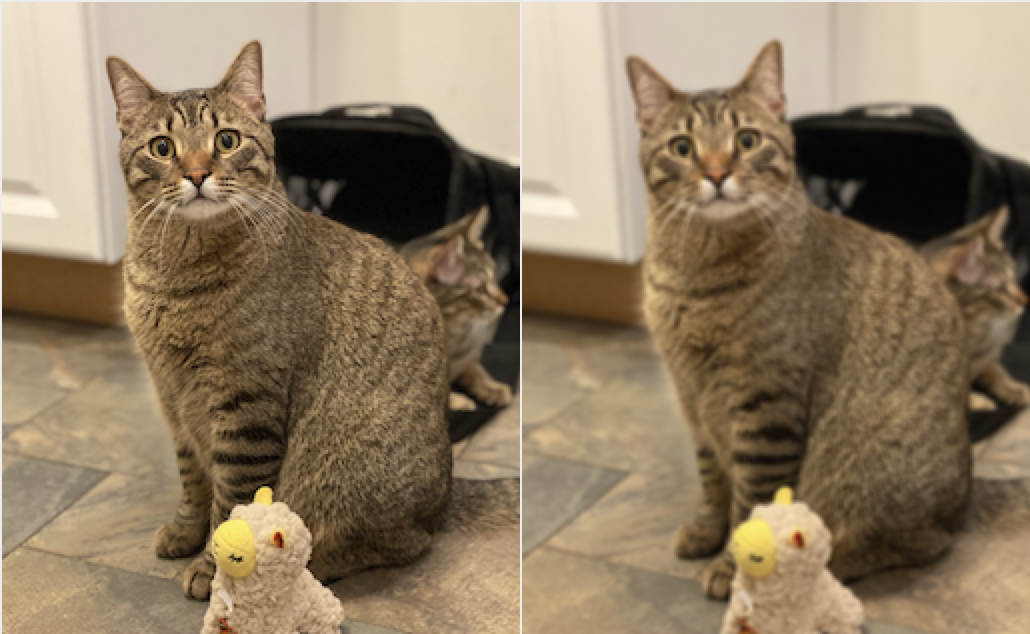
You'll complete the function blur that takes in one parameter, an Image object. blur should return
a new Image object whose pixels have been modified from the original to appear blurred.
This might seem like a silly function to create, but blurring is an important part of many algorithms
that try to extract information from images because it removes noise.
To create a blurred pixel, you should set its RGB values equal to the average color value of each of its 8 neighbors plus itself. That is, if a pixel is at coordinates (x,y), you should set the new pixel to the average of pixels (x-1, y-1), (x-1, y), (x-1, y+1), …, (x, y), …, (x+1, y+1). You'll need to make sure that the pixels on the edges of the image are handled correctly (i.e., only take the average color value of pixels that exist).
Make sure that you are always accessing the pixel values from the original image, not the partially blurred new image. (Otherwise, your image will get progressively more blurred as you iterate through the rows and columns of pixels.)
Part 2: Mirroring an image
For this part, you'll complete the function mirror that mirrors an image across a vertical axis. For instance,
the pixel that is originally at coordinate (0, 0) will end up at coordinate (0, imageWidth-1). The final
result will be something like this:
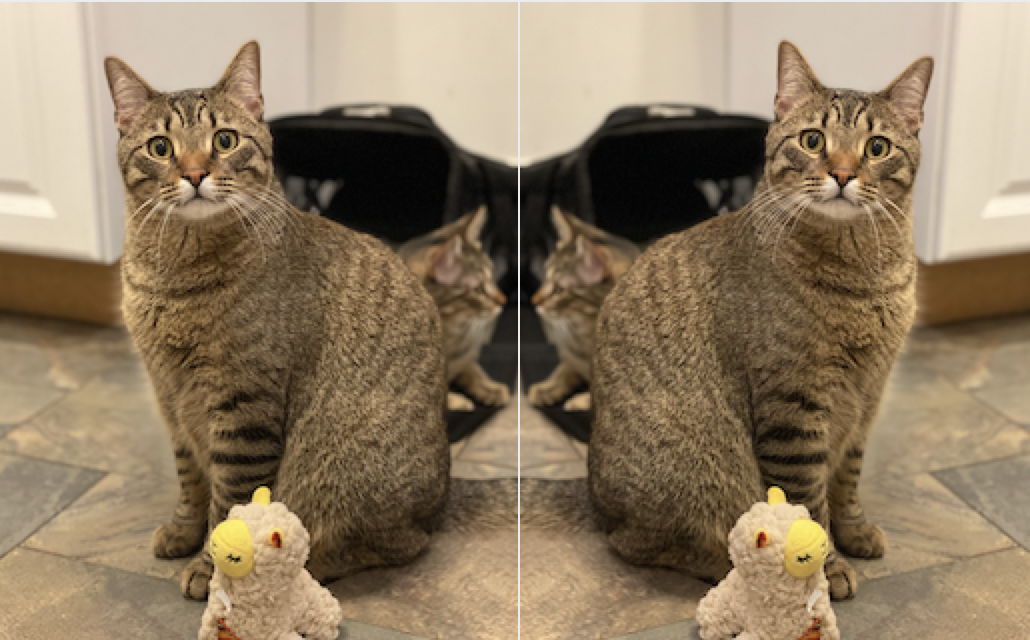
The function mirror will take one parameter, an Image object, and will return a new Image
object where the pixels have been rearranged to be a mirrored copy of the original.
Wrap up
When you're finished, make sure to complete the usual documentation steps. This includes adding comments, writing function docstrings, and adding a top-level comment, acknowledgements, and a reflection to the header.
You should also think about coding style. Have you written everything in a consistent way that is easy to read? Does your code have any unnecessary print statements? (Remove them.) Is there any repetitive code that could be rewritten to use loops or helper functions? Review the style document on Moodle for the expectations for this assignment.
Assignment submission and misc. notes
You can test both functions by calling testFilter as we did in the lab and in HW7.
For example, testFilter("cat.png", blur) or testFilter("cat.png", mirror).
Handing in the assignment
You need to hand in images2.py on Gradescope. Only one partner should submit the assignment to Gradescope (but make sure to add your partner to
your group after submitting).
Grading
This assignment is worth 20 points, broken up as follows:
- 8 points
blur - 8 points
mirror - 4 points style and following the assignment specifications
Start early, ask lots of questions, and have fun!
Anna's acknowledgements
This assignment was adapted from Layla Oesper's teaching materials. Thanks for sharing!